Quick Answer: A nanny cam is a small, often discreet video camera placed inside the home to monitor caregivers, children, or common living spaces. Most modern nanny cams connect to your smartphone, record continuously or on motion, and store footage either locally or in the cloud. They are legal to use in your own home in most situations, and for millions of parents, they are simply one more layer of peace of mind.
What exactly is a nanny cam and how does it work?
A nanny cam is a home surveillance camera – sometimes hidden inside an everyday object, sometimes mounted openly – that lets you watch over your home and the people in it when you cannot be there yourself. The name comes from the original use case: parents who wanted to observe their childcare providers while they were at work.
Today, the technology has grown far beyond a hidden clock on a shelf. Most nanny cams are compact, Wi-Fi connected cameras that stream live video directly to an app on your phone. You can check in from your office, your car, or across the country. Many also record footage automatically when motion is detected, so you are not wading through hours of nothing to find a moment that matters.
At their core, nanny cams work in two stages: capture and delivery. The camera lens captures video, often in high definition and sometimes in night vision, and the footage is delivered either to a memory card inside the device, to a local storage hub in your home, or to a cloud server you access through a subscription. Each storage method has trade-offs, which we will cover below.
Are nanny cams legal to use in your own home?
In almost every state, yes – recording video in your own home is legal. You own the space, and courts have consistently upheld a homeowner’s right to monitor their own property. That said, there are two important boundaries worth understanding before you set anything up.
First, audio recording is held to a higher legal standard than video. Some states require the consent of everyone being recorded before audio can be captured. If your nanny cam records sound as well as picture – and most do – it is worth a quick check of your state’s wiretapping laws. A brief conversation with a local attorney or even a well-sourced online search for your state’s specific rules will give you clarity.
Second, areas where a person has a reasonable expectation of privacy – a bathroom or a private bedroom provided to a live-in caregiver – are off limits. Common areas of the home, the living room, the kitchen, a child’s play area: these are generally appropriate locations for monitoring.
Many parents also choose to tell their caregiver that cameras are present in the home, even if they do not disclose every exact location. This approach sidesteps most legal gray areas and, frankly, sets a clear professional tone from day one.
What are the different types of nanny cams available?
Nanny cams come in two broad categories: covert and visible. Understanding the difference helps you choose the right tool for your situation.
- Covert or disguised cameras are built into objects that blend naturally into a room – a functioning alarm clock, a book on a shelf, a charging station, or a small decorative item. They are designed to be unnoticed. These are what most people picture when they hear the phrase “nanny cam.”
- Visible or open cameras are standard home security cameras placed openly in a room. They are not hidden. Many families prefer this approach because transparency can deter problematic behavior just as effectively as surveillance, without any ambiguity about consent.
Beyond those two categories, cameras vary by a few key technical features:
- Resolution – 1080p full HD is the current standard. Higher resolution means clearer footage if you ever need to review a specific moment.
- Night vision – Infrared night vision allows the camera to record in low or no light, which is important if you want coverage during nap times or early morning hours.
- Field of view – A wider angle lens covers more of a room with a single camera. Look for 100 degrees or wider for common living areas.
- Motion detection and alerts – Most modern nanny cams will send a notification to your phone when movement is detected. You can often adjust the sensitivity to reduce false alarms.
- Two-way audio – Some cameras include a speaker so you can speak through the device remotely, which can be helpful if you want to check in with your caregiver or reassure a child.
Where is the best place to put a nanny cam in your home?
Placement determines how useful your camera actually is. The goal is clear sightlines to the spaces where your child spends the most time, without pointing into private areas.
The most common and practical locations include:
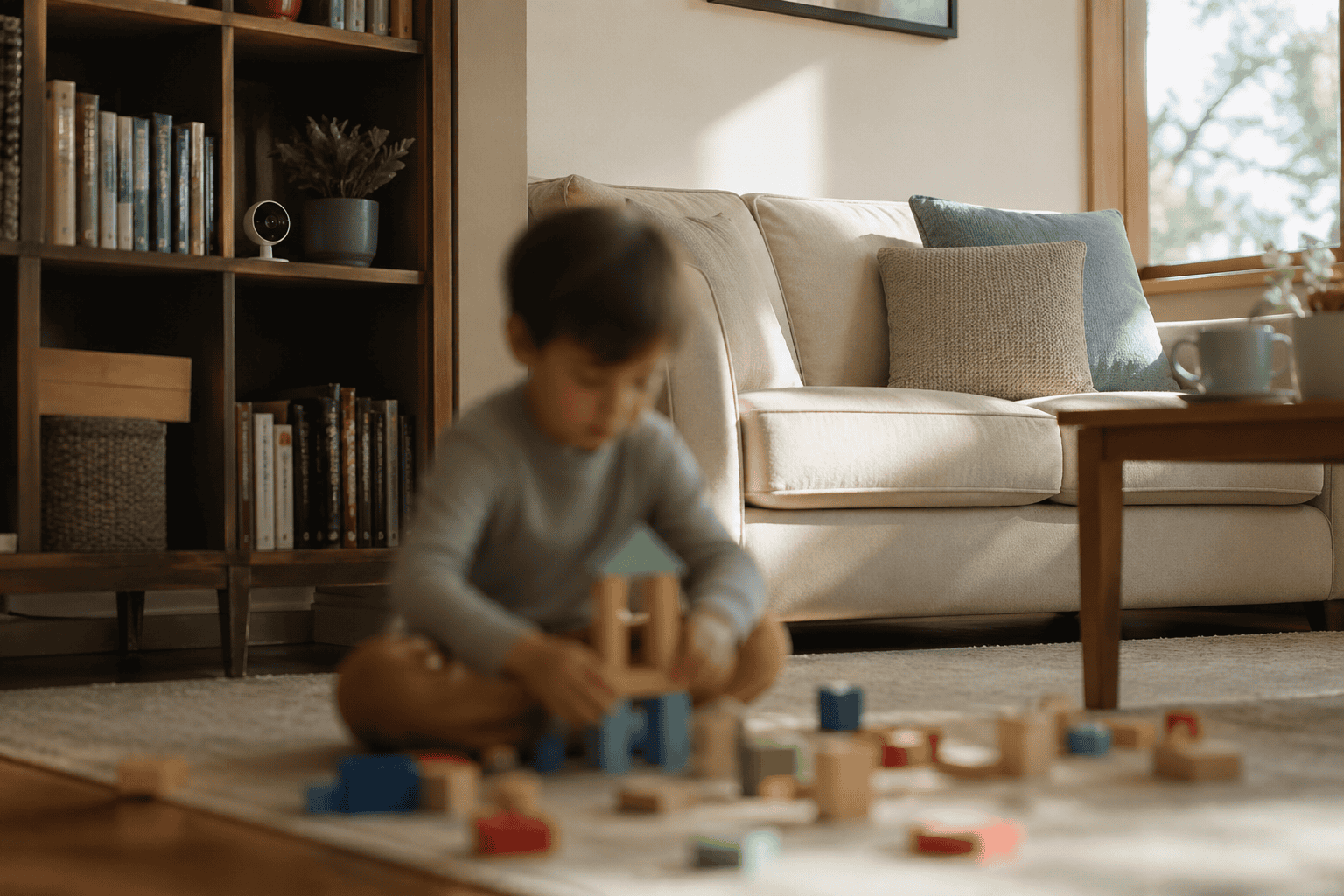
- The living room or playroom – This is where children spend most of their waking hours with a caregiver. A single camera with a wide field of view placed at a moderate height, angled slightly downward, will typically cover most of the room.
- The kitchen – Meal preparation is part of most caregiving routines. Monitoring this space keeps you informed about your child’s nutrition and general well-being throughout the day.
- A child’s bedroom or nursery – For infant and toddler monitoring especially, a camera in the nursery gives you visibility during nap times and nighttime sleep. This doubles as a baby monitor.
- Main entryways – Knowing when the caregiver arrives and when they leave, and who else enters the home, is basic information that has real value.
Avoid placing cameras in bathrooms, any bedroom provided to a live-in caregiver, or any space where an adult would reasonably expect private use. This is not just legal protection – it reflects the kind of respectful environment that tends to attract and retain good caregivers.
Local storage or cloud storage – which is better for a nanny cam?
Both options work. The right choice depends on your priorities around access, security, and cost.
Local storage saves footage to a microSD card inside the camera or to a separate recording device in your home. The advantages are that there is no ongoing subscription fee and your footage stays physically in your possession. The drawback is that if the camera is tampered with or the card is full, you may lose recordings without knowing it. You also cannot access older footage remotely without additional setup.
Cloud storage sends footage to a remote server that you access through an app or website. You can review recordings from anywhere, footage is generally preserved for a set number of days depending on your plan, and the data is not vulnerable to someone physically removing a card. The trade-off is a recurring monthly cost and the fact that your footage lives on a third-party server.
Many families use a hybrid approach – cameras that save locally but also sync to the cloud – which gives them the redundancy of both systems without relying entirely on either.
How do you choose the right nanny cam as a first-time parent?
Start simple. The best nanny cam for a first-time parent is one that does its job reliably, connects to your phone without a frustrating setup process, and fits naturally into the spaces you need to cover. You do not need every feature on the market to get meaningful coverage.
Here is a straightforward checklist to guide your decision:
- Decide whether you want a visible or discreet camera, and make that choice based on your specific situation and comfort level – not on what feels more “serious.”
- Choose a camera with at least 1080p resolution and built-in night vision so you have quality footage in all lighting conditions.
- Look for motion detection with smartphone alerts so you are not expected to watch a live feed all day.
- Confirm the camera’s Wi-Fi requirements match what your home network can support.
- Decide on your storage preference and confirm whether a cloud subscription is included or costs extra.
- Read the setup process before you buy. If dozens of reviewers describe a complicated installation, take that seriously.
Ask questions when you shop. A retailer who knows this category well should be able to walk you through the differences between models without pressure. If you feel rushed or confused, that is useful information about where you are shopping.
Frequently asked questions about nanny cams
Do I have to tell my nanny that there is a camera in the house?
In most states, you are not legally required to disclose the presence of a video-only camera in your own home. However, disclosure is often the more practical choice. It removes any legal ambiguity around audio recording, sets a professional tone in the caregiving relationship, and many employers find it actually improves caregiver performance. Transparency, in most situations, works in your favor.
Can a nanny cam work without Wi-Fi?
Yes. Cameras that store footage to a local microSD card do not require an internet connection to record. You would not be able to view live footage remotely without Wi-Fi, but the camera will still capture and store video locally. This is a useful option for homes with unreliable internet or for parents who prefer to keep footage entirely offline and in their physical possession.
How long does a nanny cam record?
Recording duration depends on storage capacity and how the camera is set up. A camera recording continuously to a 64GB microSD card will typically capture 24 to 48 hours of full HD footage before it begins overwriting the oldest recordings. Motion-activated cameras record far less total footage and can stretch that storage much further. Cloud plans vary by provider, with most offering between 7 and 30 days of saved recordings depending on the subscription tier.
Can a nanny cam see in the dark?
Most modern nanny cams include infrared night vision, which allows them to capture clear footage in low-light or completely dark conditions. Infrared footage is typically displayed in black and white. If color night vision is important to you – for identifying clothing colors, for example – look specifically for cameras marketed with color night vision, which use a different sensor technology and usually require at least some ambient light to function well.
Is a nanny cam the same as a baby monitor?
They serve overlapping purposes but are not exactly the same thing. A traditional baby monitor is a closed-circuit audio or video system designed primarily to hear or see a sleeping infant from another room. A nanny cam is a surveillance camera used to monitor caregivers and children more broadly, often with remote viewing, cloud storage, and motion alerts. Many Wi-Fi cameras today function effectively as both, which is one reason they have become so popular with new parents.
What should I do if I see something concerning on my nanny cam?
If you observe behavior that concerns you, stay calm and think clearly before acting. Save or back up the footage immediately so it is preserved. If you believe your child is in immediate danger, contact emergency services. If the concern is less urgent – a pattern of negligence, for example – document what you have seen, consult with a family attorney if needed, and address the situation directly with the caregiver or agency. Do not confront anyone in a way that escalates the situation unnecessarily.
How much does a nanny cam typically cost?
Entry-level nanny cams start around twenty to forty dollars for a basic model with local storage and standard resolution. Mid-range cameras with 1080p resolution, night vision, motion detection, and cloud capability typically fall between sixty and one hundred fifty dollars. Higher-end models with advanced features like 4K recording, color night vision, or extended cloud storage cost more. An ongoing cloud subscription, when required, usually runs between three and ten dollars per month.
Can someone hack into my nanny cam?
Any device connected to the internet carries some risk of unauthorized access, and nanny cams are no exception. You can significantly reduce that risk by choosing a camera from a reputable manufacturer, changing the default password immediately after setup, using a strong and unique password, keeping the camera’s firmware updated, and securing your home Wi-Fi network with WPA3 encryption if your router supports it. These steps do not eliminate all risk, but they put you well ahead of most targets.
The bottom line
A nanny cam is not a sign of distrust – it is a sign of thoughtfulness. Good parents ask questions, verify information, and build systems that protect the people they love. A well-placed camera, chosen carefully and used responsibly, gives you information you can act on and a quiet confidence that lets you focus on the rest of your day.
If you have questions about which camera fits your home and your situation, we are here to help you work through it. There is no pressure, no single right answer, and no question too basic. Getting this right matters, and that is exactly what we are here for.