Hidden Cameras for the Office
Something’s off at work — inventory keeps coming up short, petty cash doesn’t add up, or you just have a nagging feeling that what happens when you’re not around isn’t what you’re being told. You can’t confront anyone without proof, and a visible security camera only changes behavior when people know it’s there. A discreet camera placed in the right spot gives you documentation when it matters most — not just deterrence. Every option below records 1080P HD video, stores footage locally with no subscription fees, and looks like something that already belongs on a desk or wall.
Our Top Hidden Cameras for Office Use
What to Look for in a Hidden Camera for the Office
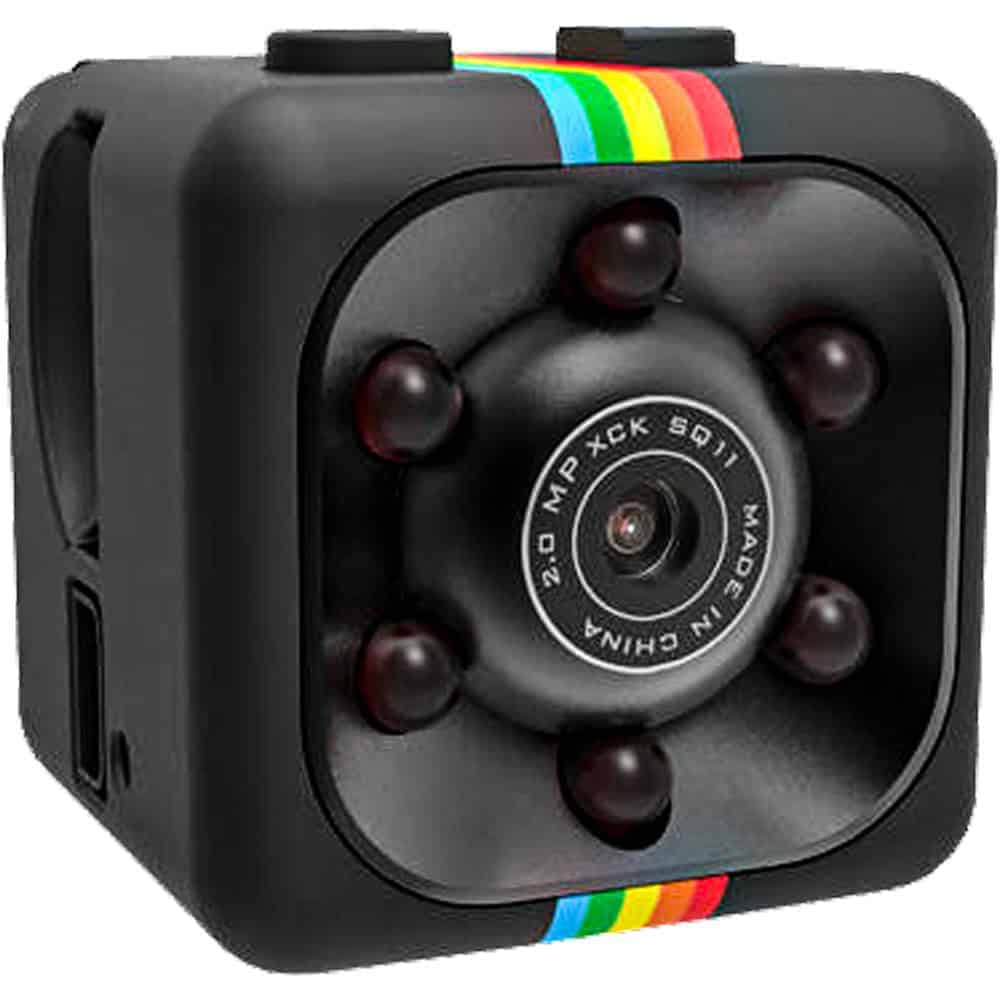
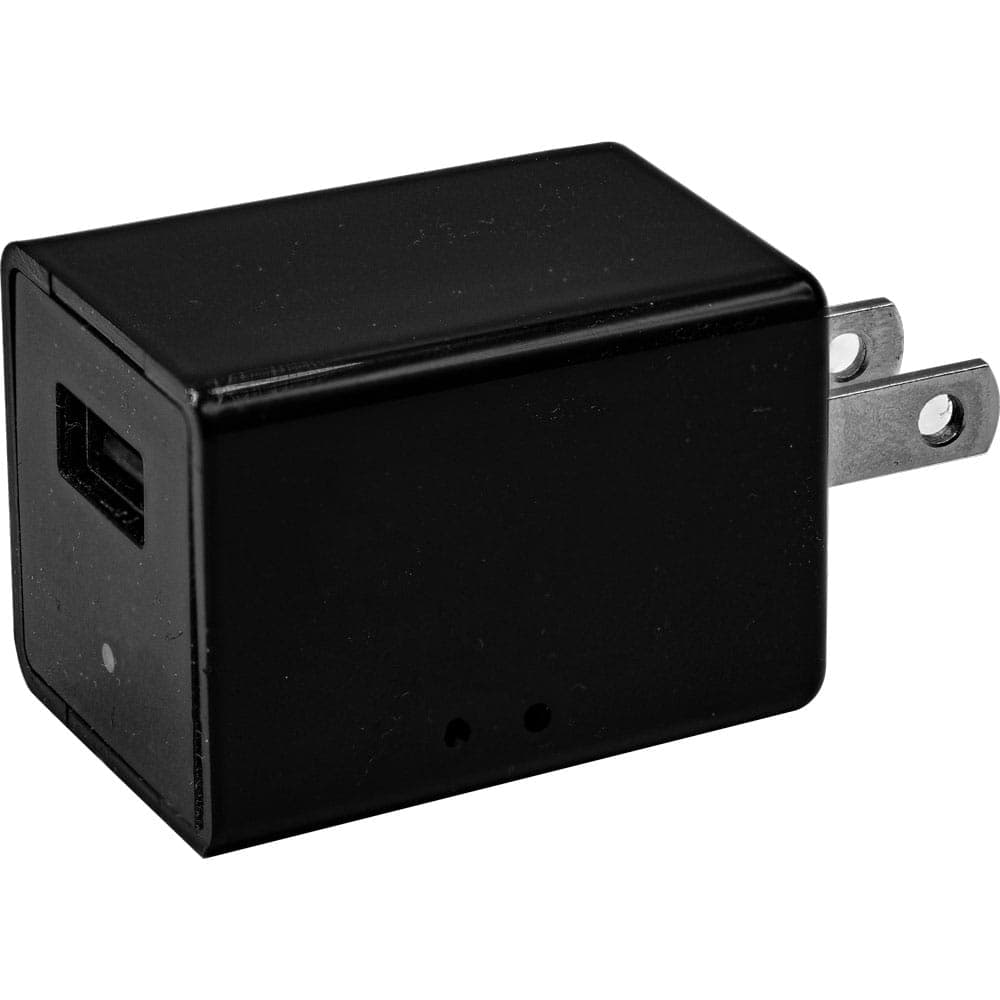
Self-contained recording. The most reliable office hidden cameras store footage locally — on a built-in DVR or included SD card — rather than uploading to a cloud server or requiring a WiFi connection. This matters for two reasons: there’s no monthly fee, and your footage stays on a device you physically control. The USB Charger Hidden Camera, HD Pen Hidden Camera, Mini Cube Hidden Camera, and Eyeglasses Hidden Camera all record this way.
Motion activation. An office camera that records continuously will fill a 32GB card in a matter of hours. Motion-activated recording means the camera only captures footage when something is actually happening — which makes reviewing evidence significantly faster and extends recording time across a full workday or weekend without anyone swapping cards.
Placement flexibility. The right camera depends on where you need coverage. A wall outlet near a register or storage cabinet is a natural home for the USB Charger Hidden Camera — it’s expected to be there and never draws a second look. A bookshelf or filing cabinet top works well for the Mini Cube. If you need coverage that moves with you, the HD Pen or Eyeglasses camera give you that option without any stationary setup.
Video quality that holds up as evidence. All four cameras record 1080P full HD video. That’s important if footage ever needs to be reviewed by HR, management, or law enforcement — low-resolution footage that can’t clearly identify a person or action is often useless when it matters most.
No IT involvement required. These cameras require no network configuration, no app setup, and no IT department. You plug in or place the camera, and it records. That simplicity also means there’s nothing to misconfigure and no digital footprint connecting the camera to your company network.
How to Choose the Right Hidden Camera for Your Office Situation
Start by identifying exactly what you need to document and where. If the concern is at a fixed location — a cash drawer, a storage room, a reception desk — a stationary camera like the USB Charger or Mini Cube is the more practical choice. They record continuously in the background without any action required on your part, and they’re easy to retrieve footage from at the end of the day.
If you need coverage that isn’t tied to one spot — documenting a conversation, a delivery handoff, or a situation where you’re present — the HD Pen Hidden Camera or Eyeglasses Hidden Camera give you 1080P documentation from wherever you are. The pen is the more discreet option for desk or conference room settings; the glasses provide a true first-person perspective that’s harder to dispute.
One practical note on storage: the Mini Cube includes a 32GB SD card, which is enough for days of motion-activated footage. The USB Charger includes 32GB as well. If you anticipate extended recording without being able to check in daily, plan your card capacity accordingly — 32GB fills faster with continuous recording than with motion activation.
Finally, before placing any camera, be clear on your purpose and the applicable laws in your state. Documenting theft or misconduct in common work areas is generally lawful. Recording private conversations or placing cameras in areas with an expectation of privacy is not. When in doubt, the simpler visible camera in a clear location creates fewer legal complications than a covert one in the wrong spot.
Frequently Asked Questions
A: The most effective office placements are spots that face entry points, cash drawers, or high-value storage areas. The USB Charger Hidden Camera is ideal plugged into a wall outlet near a desk or reception area — it faces out naturally and draws zero attention. Avoid placing cameras aimed directly at restrooms, locker rooms, or anywhere employees have a reasonable expectation of privacy, as that creates serious legal exposure regardless of your intent.
A: In most states, hidden cameras in common work areas — lobbies, storage rooms, cash registers, and shared workspaces — are legal as long as there’s no audio recording and employees aren’t being recorded in areas where privacy is expected. Audio recording laws are stricter and vary significantly by state. Before setting up any covert surveillance at your workplace, check your specific state’s laws. See our Laws & Restrictions page at https://reveresecurity.com/law-and-restrictions/ for a state-by-state breakdown.
A: None of the hidden cameras we carry require WiFi or monthly fees. The USB Charger Hidden Camera, HD Pen Hidden Camera, Mini Cube Hidden Camera, and Eyeglasses Hidden Camera all record directly to a built-in DVR or included SD card. You retrieve footage by removing the card or connecting via USB — no app, no cloud account, no recurring costs. This also means your footage stays completely private and off any external server.
A: A standard security camera is visible — it deters theft but also alerts dishonest employees or visitors to its presence and location. A hidden camera captures what actually happens when people think no one is watching, which is often the only way to document internal theft, misconduct, or disputes that have no other witnesses. The trade-off is that hidden cameras don’t deter in the moment — they document. Most office security setups benefit from using both: visible cameras at entrances and a covert camera near the register or storage area.
A: All of our office hidden cameras with built-in DVR record to either internal memory or an included SD card. To review footage, you remove the SD card and insert it into a computer, or connect the device via USB. The HD Pen Hidden Camera and USB Charger Hidden Camera both use standard micro USB connections. Most record in motion-activated mode by default, so you’re not sifting through hours of empty-office footage — you only see clips triggered by movement.
Not Sure Which Hidden Camera Is Right for Your Office?
Different office situations call for different setups — and it's normal to have questions before you buy. Call us at 800-859-5566 and we'll help you find the right camera for exactly what you're dealing with.
Shop All Hidden Cameras